Percussive
Keep drum transients sharp. The starting point for breaks and one-shots.
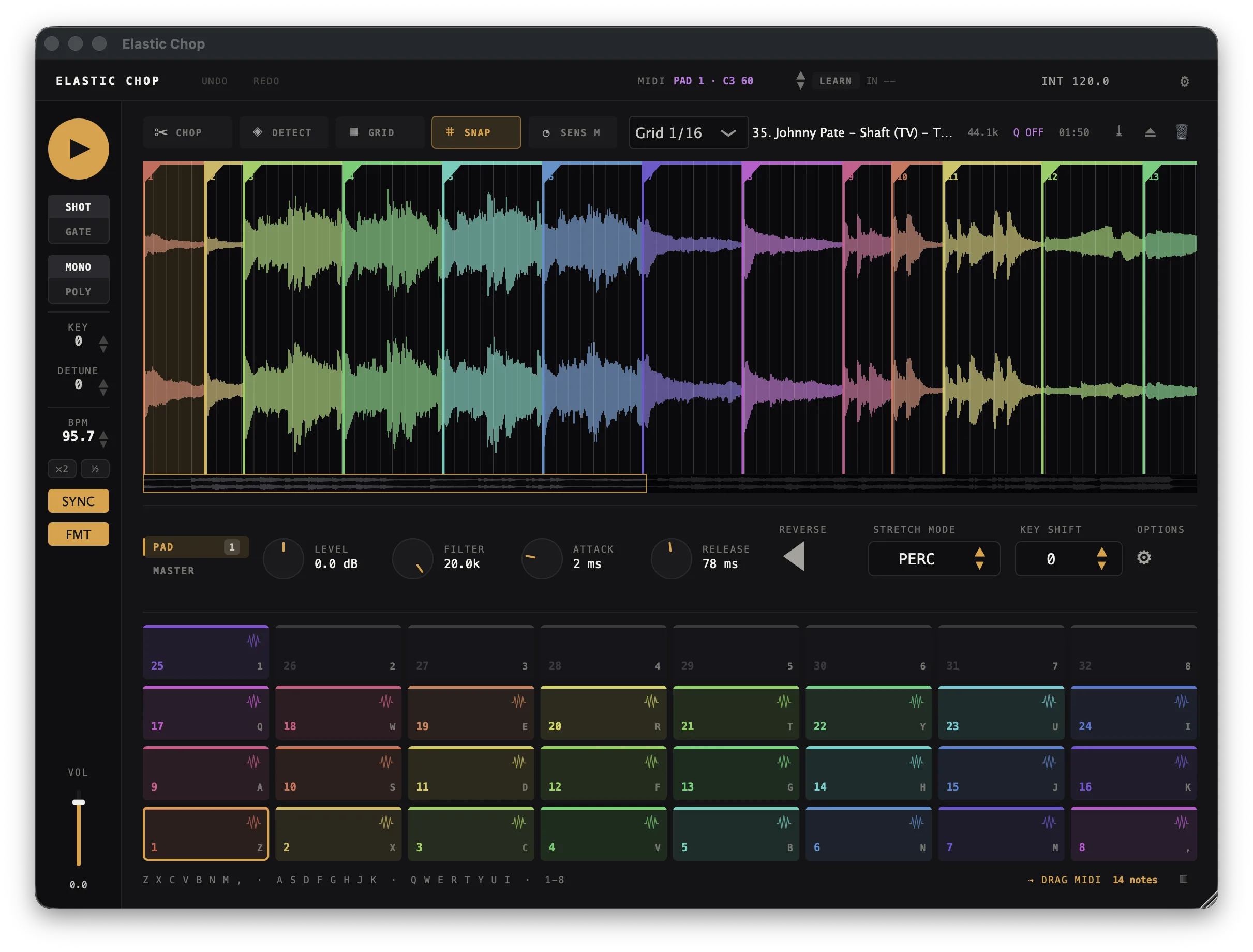
Turn a loop into 32 playable chops. Slice automatically, play the pads, and change pitch without changing the tempo — in your Mac DAW or standalone.
Full trial. No credit card required.
Buy once · 3 computers · All formats included.
Mac only · Apple Silicon & Intel · VST3, AU & standalone
01 / Chop
Start with automatic slices or place every hit yourself. Switch methods as the idea takes shape.
Drop in a sample. Auto finds the transients; adjust sensitivity to keep more or fewer hits.
App detail · Four ways to place chops on the same sample.
02 / Time & pitch
Fit a slow break to a faster project. Or transpose it without changing the groove. Pitch and speed move independently.
Keep drum transients sharp. The starting point for breaks and one-shots.
Smooth stretching for melodies, vocals and sustained sounds.
Move speed and pitch together for that turntable feel.
03 / Play & capture
Play the pads with MIDI or your keyboard. Elastic Chop captures the MIDI notes as you go. Drag the MIDI clip into your DAW to arrange it and play it back through Elastic Chop.
Map your controller with MIDI learn. Quantize hits to the beat, or play freely.
Your pad performance is captured while you play. No record button to remember.
Drag the MIDI clip into your DAW to arrange and edit the performance.
Load WAV, AIFF, FLAC or MP3. Save your sample, chops and settings in your DAW project or an Elastic Chop session. Adjust one pad or all of them together. The VST3 can also send MIDI to another track in Ableton Live.
Make it yours
One license. All three formats. Yours to keep.
Launch price through November 30, 2026. It goes to $25 after that. One payment, no subscription.
Secure checkout by Stripe with Apple Pay, Google Pay or card. Your key and download link arrive by email right after payment. Purchase terms
Release notes
New: press Delete (or Backspace) to remove the selected pad's chop. Works on every selected pad after Cmd+A, and undoes with Cmd+Z. Also available as Delete Chop in the gear menu.
For Mac (Apple Silicon and Intel), as standalone, VST3 and AU. One license includes all three. No Windows version yet.
Yes. Try every feature for 14 days on up to 2 computers, with no credit card. Request a trial and confirm your email to receive your key and download. The trial starts when you first activate it.
Any Mac DAW that loads VST3 or AU instruments, including Logic, Ableton Live, Bitwig, Reaper, Studio One, Cubase and FL Studio. Standalone works without a DAW.
All three formats on up to 3 computers, with a perpetual license and updates through the current major version.
Your download and key arrive by email after payment. Activate with that email and key. Missing email? Check spam or contact support@dordsp.com.
WAV, AIFF, FLAC and MP3. Drag a file onto the app to start chopping.
No. Chops are movable markers. Your original file stays untouched, and edits are undoable.
Yes. KEY changes pitch independently. Repitch mode links pitch and speed for a classic sampler feel.
Yes. Sync follows your project tempo. Quantize can snap pad hits from a sixteenth note to a bar.
Yes. Pad performances are captured automatically. Drag DRAG MIDI into your DAW as a clip. The VST3 can also send MIDI to another Ableton Live track.
Up to 32, one per pad, ordered from left to right through the sample.
Use your own samples for 14 days. All features, no credit card.
Ask us about your setup →
