↺ Counterclockwise
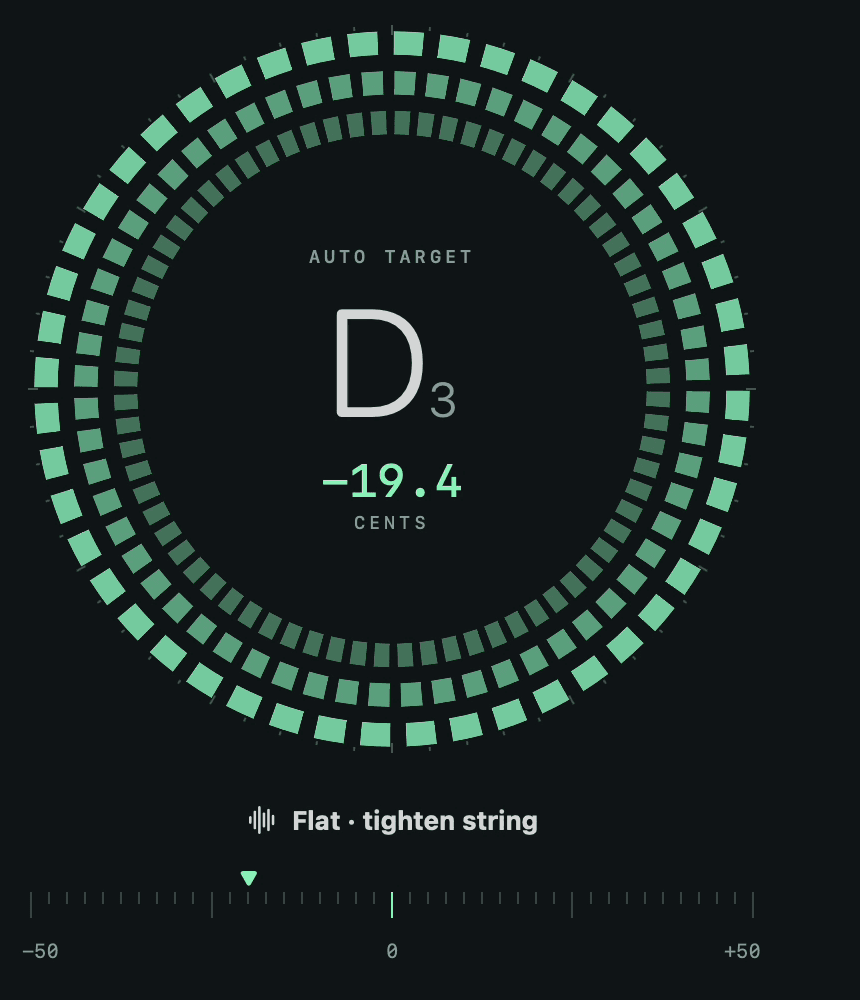
Flat
Tighten the string. The rings slow as you get closer.
Strobe Tuner · Guitar tuner for Mac, iPhone, iPad & Apple Watch
Pluck a string and watch the rings stop. They turn one way when you are sharp and the other when you are flat, and slow as you reach pitch. A native Mac tuner that listens through the interface you already record with.
Universal purchase: buy once on the App Store and get it on Mac, iPhone, iPad and Apple Watch. No subscription.
macOS 15+ (Apple Silicon & Intel) · iOS & iPadOS 18+ · watchOS 11+
01 / Read it
The rings turn clockwise when you are sharp and counterclockwise when you are flat. The further out you are, the faster they spin.
Tighten the string. The rings slow as you get closer.
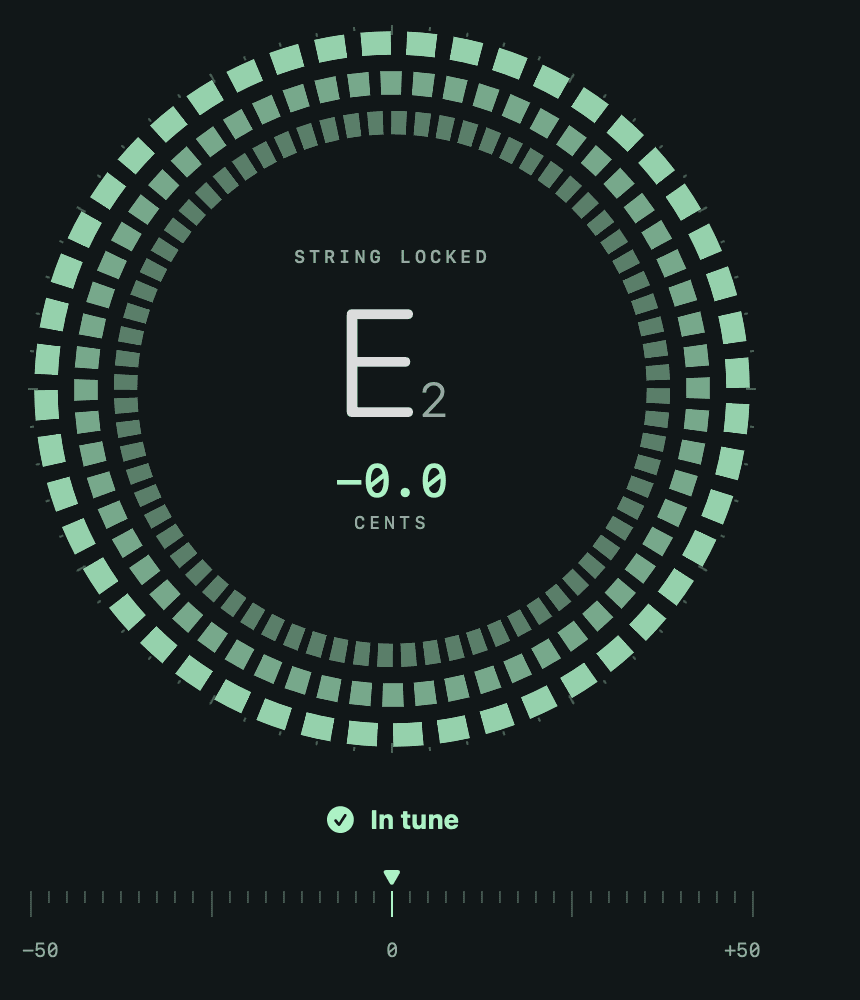
The rings settle and the in-tune light comes on once the note holds inside your window.
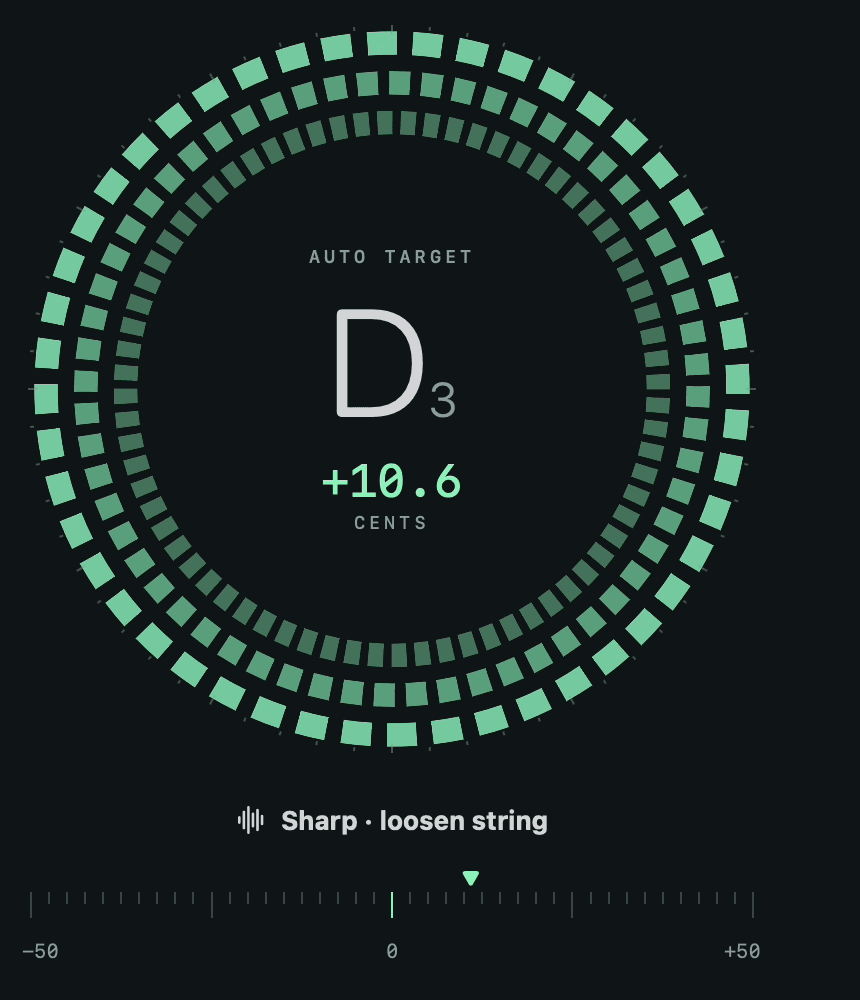
Loosen the string until the rings come to rest.
02 / Tune
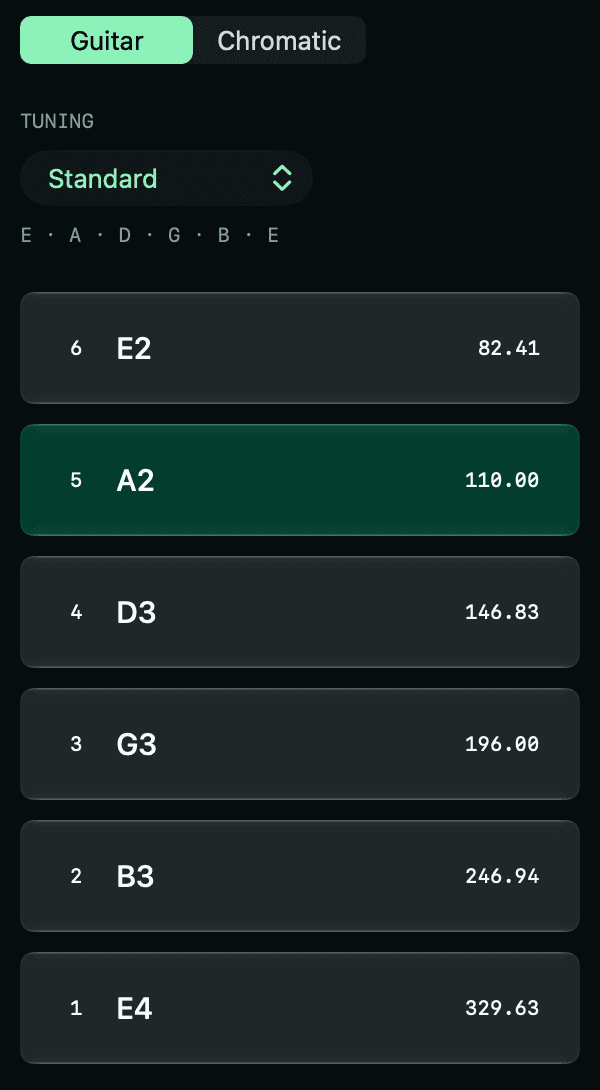
Guitar mode knows your tuning and finds the string you played. Chromatic mode follows the nearest note.
Play any string and the tuner picks its target. Click a string to lock it while you restring or make a big change.
Standard, Drop D, DADGAD, Open G, Open D, half step down and seven-string standard.
Set A4 anywhere from 390 to 490 Hz, and choose an in-tune window of ±2, ±1, ±0.5 or ±0.1 cents.
03 / Listen
Plug your guitar into an interface and pick its channel, or play an acoustic in front of the built-in mic.
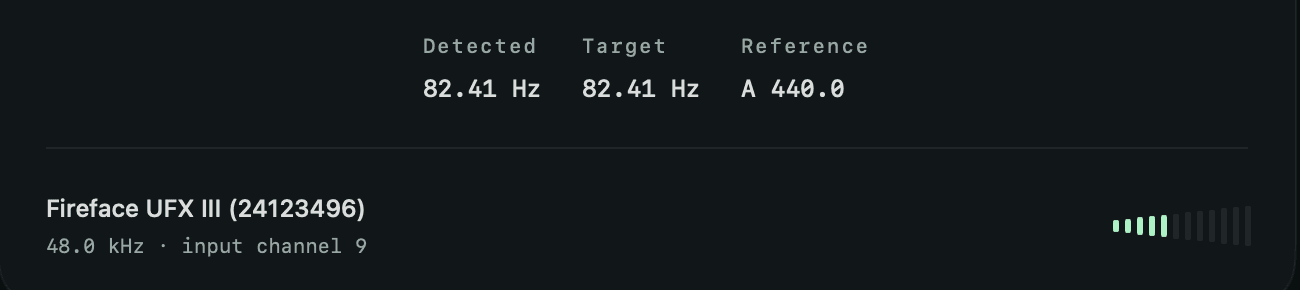
Pick the device and the channel in Settings. Your choice is remembered, and the Mac's system input is left alone.
Raise the noise gate to shut out hum and room noise, so the tuner responds only to the string. If a note is too quiet to read, the tuner says so.
Your audio is analyzed on your Mac as you play and is never saved or sent anywhere. The app makes no network requests.
Pricing & license
Strobe Tuner is a universal purchase on the App Store. One payment gets you the Mac, iPhone, iPad and Apple Watch apps, with no subscription.


The App Store shows the price in your local currency.
macOS 15 or newer, on Apple Silicon and Intel.
iOS and iPadOS 18 or newer.
watchOS 11 or newer.
Apple handles payment, installs and updates. No account with us, no license key, and the app makes no network requests.
Release notes
New: Help > Check for Updates tells you when a newer version is available and offers the download. It runs only when you choose it and is the app's only network request. New: Bypass noise gate, in the main window and in Settings, analyzes quiet input that the gate would otherwise block. Improved: The last reading stays on screen for up to two seconds after a string decays, and the gate now stays open slightly below its threshold while a note rings out, so sustained notes no longer drop out as they fade.
First public release. Strobe Tuner is a native strobe tuner for guitar on the Mac. Pluck a string and three rings turn clockwise when you are sharp and counterclockwise when you are flat, slowing to a stop as you reach pitch. Tune by string with automatic detection or a locked target, or switch to chromatic mode. Presets cover Standard, Drop D, DADGAD, Open G, Open D, half step down, and seven-string standard. Pick any Core Audio input device and channel, set A4 from 390 to 490 Hz, and choose an in-tune window from ±0.1 to ±2 cents.
Questions
Setup, tunings, precision and where to buy.
Yes. Strobe Tuner lets you choose any connected Core Audio input in Settings, then pick the channel your guitar is plugged into. It reads that device directly and leaves your Mac's system input setting alone. The built-in microphone works too.
Rings rotate clockwise when the note is sharp and counterclockwise when it is flat, and slow down as you approach the target. When they come to rest you are in tune. Strobe Tuner also shows the offset in cents and the detected and target frequencies in Hz.
Pitch is displayed to a tenth of a cent, and you choose how close counts as in tune: ±2, ±1, ±0.5 or ±0.1 cents. That window is your tolerance, not a hardware accuracy rating. What you measure also depends on your interface, your microphone and the string itself.
Standard, Drop D, DADGAD, Open G, Open D, half step down and seven-string standard. Chromatic mode follows the nearest note for any other tuning, and the A4 reference can be set from 390 to 490 Hz.
Chromatic mode follows any single note between 45 Hz and 1400 Hz, which covers guitar and many other instruments. The low E of a four-string bass (41 Hz) is below that range.
Any Mac running macOS 15 or newer, Apple Silicon or Intel, plus iPhone and iPad on iOS and iPadOS 18 or newer and Apple Watch on watchOS 11 or newer. One App Store purchase covers all of them.
No. The app asks for microphone access so it can hear your instrument. Audio is analyzed on your device and is never saved or sent anywhere. The app makes no network requests.
Yes. Buy it once on the App Store, with no subscription. It is a universal purchase: the same purchase gets you the Mac, iPhone, iPad and Apple Watch versions.
On the App Store. Apple handles payment, installs the app on each of your devices and delivers updates. There is no license key to enter. If you bought Strobe Tuner from dordsp.com before it moved to the App Store, your download link still works; contact support@dordsp.com if you need it again.
iPhone, iPad and Apple Watch versions come with the same App Store purchase as the Mac app. There is no Windows version.

